|
|
||||||||||||
|
|
||||||||||||
 Editing data in the data display view
 |
||||||||||||
|
After selecting a node in the node browser, and optionally picking the desired view (subnode, dump, text, or raw) from the view style buttons, you can start the editing process immediately in the data display window. You can use the mouse to interface with the data display view. If you are focused on the node browser, you can also select Edit.Edit Field or simply press F2 to move the keyboard focus to the primary control in the data display view. BARfly considers probationary any changes to node data you make in the data display window. You must decide whether to accept or reject your changes before you leave the data display window. You can do the following things:
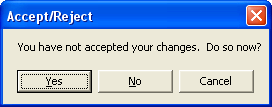
It is good practice to explicitly accept or reject any changes you have made before moving to another node. No change to binary data should be taken lightly, and this opportunity to retain or discard your changes is important during the editing process. Of course, you can turn off the Accept/Reject prompt by selecting Options.Node Data Editing. This causes automatic rejection of any changes you have not explicitly accepted. The act of rejecting data will restore the data display window to either its original content when you had selected the node in the node browser, or the content present the last time you had accepted your changes, whichever occurred last. The act of accepting data does not update the data display window. It simply removes the probationary status of the node data you had modified. Some actions in BARfly other than changing the node browser selection will also cause an Accept/Reject prompt. BARfly can perform a variety of tasks that edit node data implicitly or change the node browser selection indirectly. BARfly always demands that you perform explicit updates before implicit ones.
|
||||||||||||
|
|
||||||||||||