






How to Play
Rocket Dweeb supports the use of a game controller. The analog sticks and D-pad control movement and aiming, and (by default) firing and rocket jumps are controlled with the shoulder buttons. Despite the straightforward controls, you will find that Rocket Dweeb will still challenge you. You are up against the endless minions of Lord Zordaf, who will test you with an increasingly difficult set of rooms. Can you survive them all? You'll need more than that rocket launcher--you'll also need your wits.
Consult the Tips if you need more help.
The Status BarThe status bar to the left of the screen contains important information for your survival. Namely, your inventory and the health of both you and the robot you are targeting.
You will never run out of normal rockets, but super rockets, inferno rockets, homing rockets, and the reflective panel are in limited supply. Save them or use them--it's your choice.
Three types of shield barriers exist: Impact, fire, and laser beam. These shields will protect
you from only a single type of damage. If you are hit by any other type of damage, the shield
is lost.
Health Bars
If you observe that a robot has a longer health bar than usual, it means you're in for a fight.
If a robot's health bar shows a lighter sheen than usual, it means the robot can take quite a lot of
damage, and it might not even be worth fighting in some circumstances. Boss robots usually meet this
standard.
Stage TransitionsAfter each stage, you will recover all your health to 100%. Unfortunately, you will also lose your inventory. Spend it while you can. Loss
|
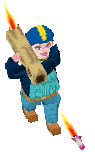 Rocket Dweeb is quite easy to pick up. You move with WASD keys on the keyboard,
and you control your aiming crosshairs with the arrow keys or the mouse. Left mouse
button fires, right mouse button rocket jumps. To select special weapons, use the mouse wheel.
Rocket Dweeb is quite easy to pick up. You move with WASD keys on the keyboard,
and you control your aiming crosshairs with the arrow keys or the mouse. Left mouse
button fires, right mouse button rocket jumps. To select special weapons, use the mouse wheel.
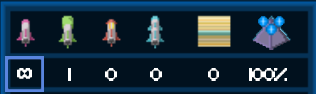 The inventory contains individual rocket ammunition types you possess, plus a reflective
panel and current shield (if you have one). You can select between individual rocket types (or
the reflective panel) using the mouse wheel, the numeric keyboard keys, or the controller triggers.
The inventory contains individual rocket ammunition types you possess, plus a reflective
panel and current shield (if you have one). You can select between individual rocket types (or
the reflective panel) using the mouse wheel, the numeric keyboard keys, or the controller triggers.
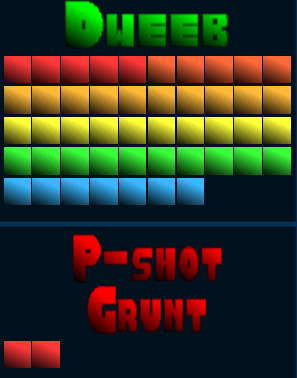 The health bars for both you (denoted "Dweeb") and the robot you are targeting are shown below
the inventory. Most robots are not particularly durable and are vanquished with only one or two rockets.
You are hefty and can take a beating, although your pride might not be quite so resilient.
The health bars for both you (denoted "Dweeb") and the robot you are targeting are shown below
the inventory. Most robots are not particularly durable and are vanquished with only one or two rockets.
You are hefty and can take a beating, although your pride might not be quite so resilient.
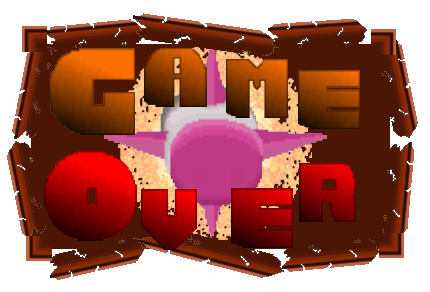 If you run out of health, you get the opportunity to replay the stage from the beginning.
Note that some future game modes and difficulty settings will be less forgiving on this point.
If you run out of health, you get the opportunity to replay the stage from the beginning.
Note that some future game modes and difficulty settings will be less forgiving on this point.