|
|
|
|
 Using the node data viewer: many different views
 |
|
BARfly offers four ways of viewing and editing node data: Subnode View, Dump View, Text View, and Raw View. Each view has its own advantages and disadvantages when it comes to displaying certain types of node data; no view is universally better than another. We encourage you to explore files and try out the various views on individual nodes. You are only limited by what you can see!
Dump view displays one of two types of dumped data formats in the data display
window: UTD (Universal Text Dump) or XML (eXtensible
Markup Language). UTD gives the user a
format similar to initialized data used in programming code, such as in C-based
languages and BAR's I.F. script format. XML is a common
format used in characterizing many types of data, and has a variety of uses
outside of BARfly.
BARfly has a "deluxe" take on the classic binary editing interface:
word size, line size, page size, endian order, and numeric format are all
customizable in raw view. More importantly, you can invoke raw view
on demand for any node--not just from the beginning of the file to the end. You can set preferences as to which of these views you want to display by default for specific types of nodes. Select Options.Node Data Editing to change preferences. Also, each of the views has its own custom options for just that view.
NOTE: If you have made changes to data in a view, attempting to switch to a different view will force you to accept or reject your changes. Keep in mind that BARfly does not allow organized blocks to be displayed using subnode view or text view . This is because text is generally not hierarchical in nature, and there is no need for a subnode view because the node browser already provides the means to access the block's children. See also: [Using the node browser] [Subnode view] [Dump view] [Text view] [Raw view] [Node editing]
|
|
|
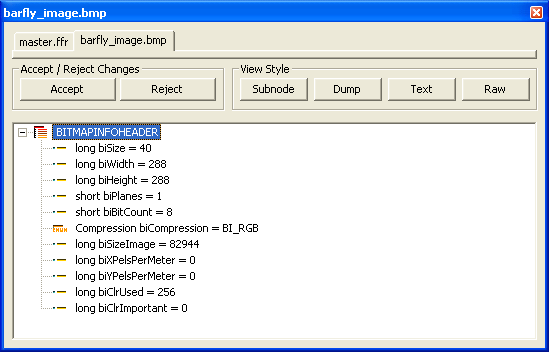 Subnode View is
ideally suited for displaying data structures, although you
can also use it to display unorganized blocks. The data
display window presents a "sub-tree" control, which describes the individual
children of the node currently selected in the node browser. For data
structures, these will be the structure's data members. For unorganized
blocks, these will be the individual simple-type units of the block.
Subnode View is
ideally suited for displaying data structures, although you
can also use it to display unorganized blocks. The data
display window presents a "sub-tree" control, which describes the individual
children of the node currently selected in the node browser. For data
structures, these will be the structure's data members. For unorganized
blocks, these will be the individual simple-type units of the block.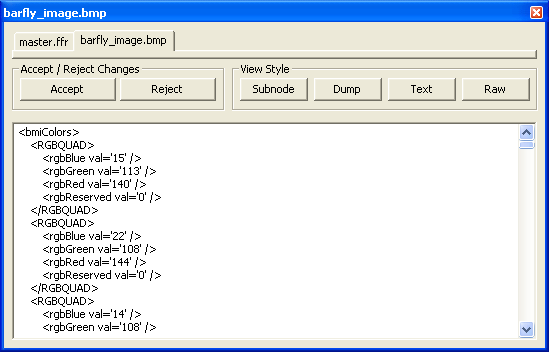 Dump View is
suited for displaying nearly any type of data. Many
applications have been built over the years to display binary data in a
more text-readable form. BARfly provides this view
to perform dump-on-demand for any type of
binary data. BARfly also performs anti-dump-on-demand, which
translates user-edited dumped text back into binary format.
Dump View is
suited for displaying nearly any type of data. Many
applications have been built over the years to display binary data in a
more text-readable form. BARfly provides this view
to perform dump-on-demand for any type of
binary data. BARfly also performs anti-dump-on-demand, which
translates user-edited dumped text back into binary format.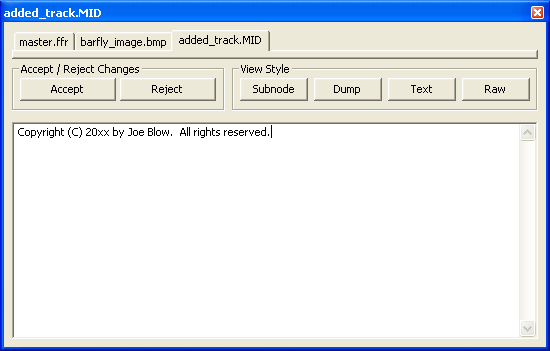 Text View is ideally
suited for displaying text blocks (or any unorganized
block known to contain text). A great number of binary file
formats have at least some portions that contain text, and this view presents
such text in the data display window with a classic plain-text user
interface. While not very useful for nodes that do not contain data
easily interpreted as text, text view provides a very easy mechanism for
viewing and editing text data without disrupting surrounding binary data.
Text View is ideally
suited for displaying text blocks (or any unorganized
block known to contain text). A great number of binary file
formats have at least some portions that contain text, and this view presents
such text in the data display window with a classic plain-text user
interface. While not very useful for nodes that do not contain data
easily interpreted as text, text view provides a very easy mechanism for
viewing and editing text data without disrupting surrounding binary data.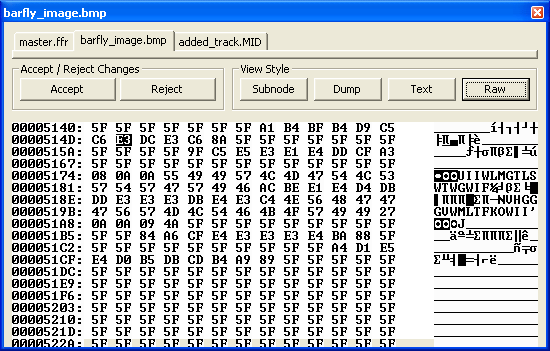 Raw View is the
classic binary editing interface. Many individuals have worked with "hex
editors," which give the user a parallel user interface for editing binary data
(both text and hexadecimal numeric data displayed simultaneously). This
type of interface has never been easy to work with, but sometimes it is the
best thing to use for the given situation.
Raw View is the
classic binary editing interface. Many individuals have worked with "hex
editors," which give the user a parallel user interface for editing binary data
(both text and hexadecimal numeric data displayed simultaneously). This
type of interface has never been easy to work with, but sometimes it is the
best thing to use for the given situation. If you do not wish to view a
particular node with the default view, you can click one of the buttons at the
top of the data display window. This will switch the view accordingly.
If you do not wish to view a
particular node with the default view, you can click one of the buttons at the
top of the data display window. This will switch the view accordingly.